

Generator
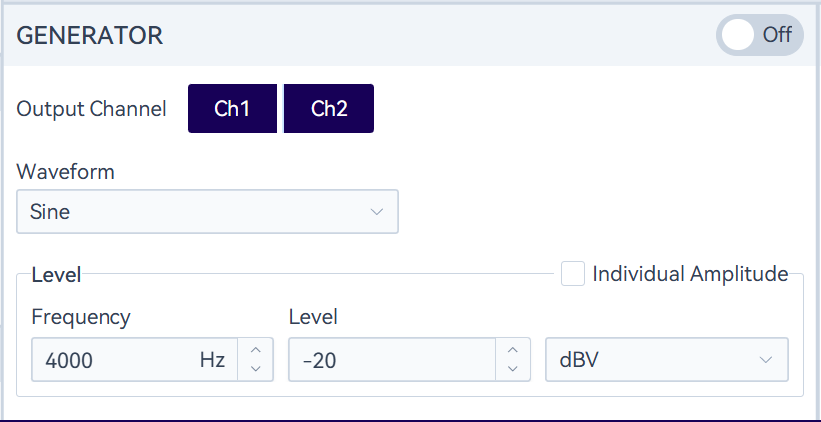
In the monitor panel, a signal generator is set up.
The switch button controls the activation and deactivation of the generator. When the generator is turned on, the sweep process in Sweep Analysis will interrupt the generator, which will automatically resume once the sweep is completed.
Specify the output channels that need to play the signal. Different channels can play signals with different amplitudes. The currently supported signal types include sine waves (single-tone, dual-tone, and multi-tone), square waves, noise (white noise and pink noise), as well as uploaded custom waveform files.