

Sound Power Testing
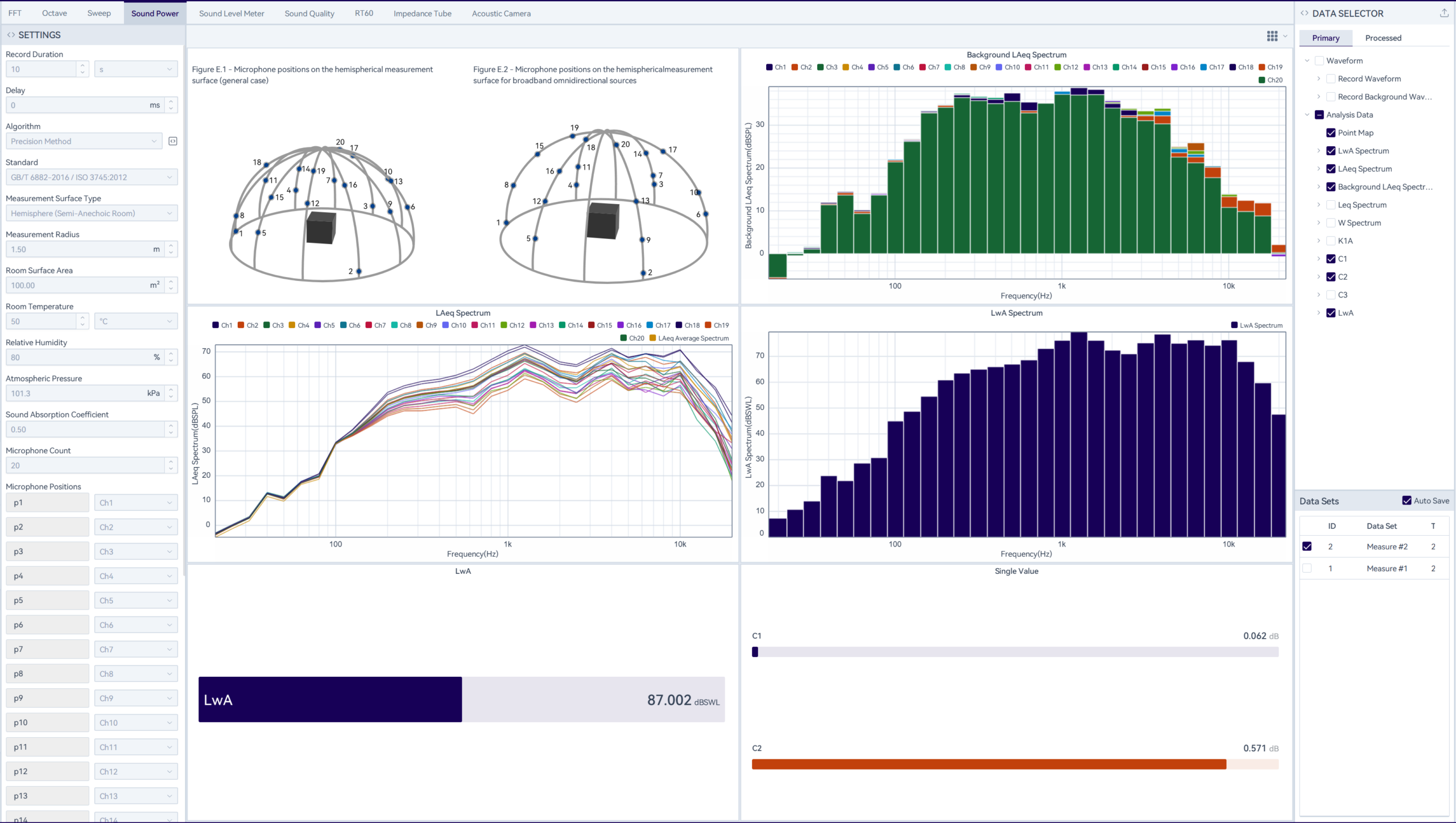
Parameter Configuration
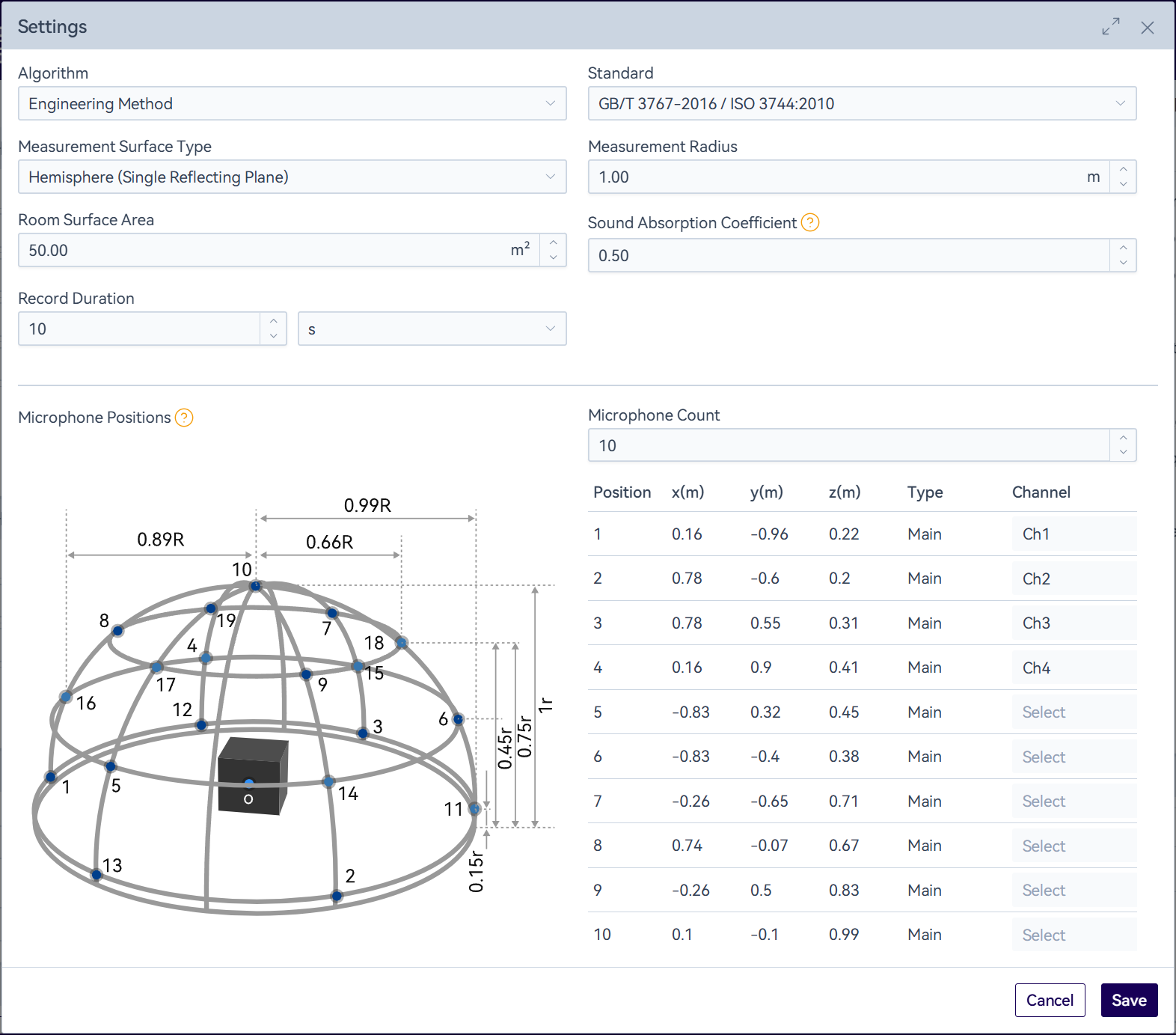
Configure the test parameters in the settings bar, including input settings, analysis criteria and limits.
Set up the test environment in accordance with the standard requirements. The software displays the reference measurement point positions for different measurement surfaces. After completing the configuration, you can start collecting ambient noise data.
Acquire Background Noise
Click the " " icon in the function bar to initiate data acquisition for the preset duration (configured in parameters). The process can be manually terminated using the "
 " icon. During survey method sound power testing, the software updates Background LAeq values for all channels in real-time (1Hz refresh rate, non-adjustable). For testing using the engineering method or precision method, the LAeq data of each frequency point under 1/3 octave band will be refreshed in real-time.
Test
After background noise collection, click the " " icon. System will:
- Run for preset duration
- Display real-time data(1Hz refresh)
- Allow manual stop via the "
 " icon
Each test will retain the test data by default, and historical playback can be performed by checking the test records in the "Data Sets".
Data Saving
Click the " " icon in the upper right corner of the "Data Selector" to save data. The software supports waveform export and analysis data export, with support for the .wav/.csv/.h5 formats.
Report Generation
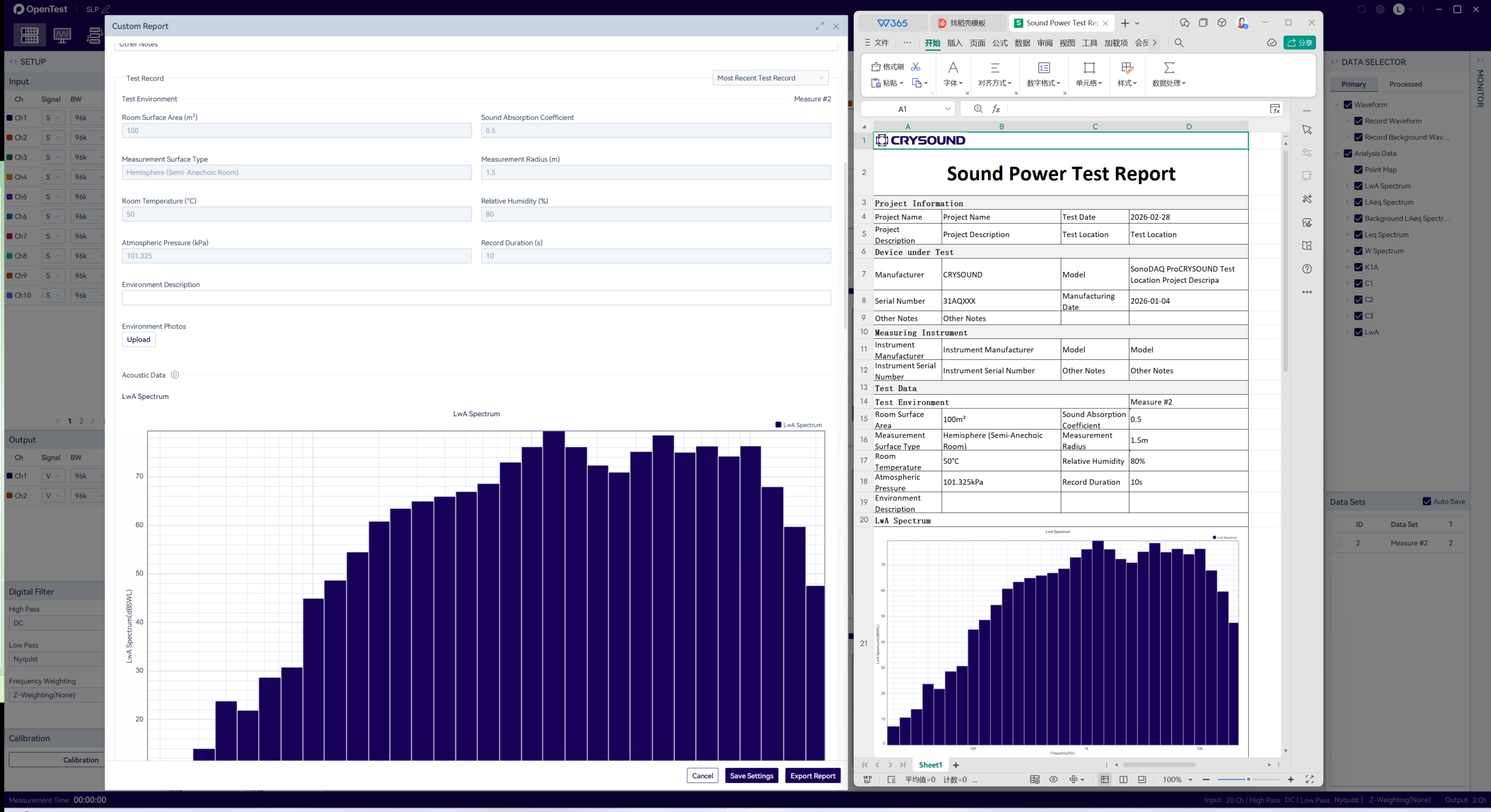
Click the "Report" button in the function bar to open the custom report configuration popup window.
Then fill in the project information, device information and test description, and select a test record(the most recent test record is selected by default; you can switch to specify a specific one). Click the" "icon to modify the data tables and images displayed in the report. Click the "Export Report" button to download the Excel file.